Halloween weekend was a busy one for us. By Monday morning we had 74 items to ship across eBay, Depop and Poshmark. That used to mean an afternoon of opening one order at a time, downloading one label at a time, and screenshotting orders so we'd remember which item went with which label.
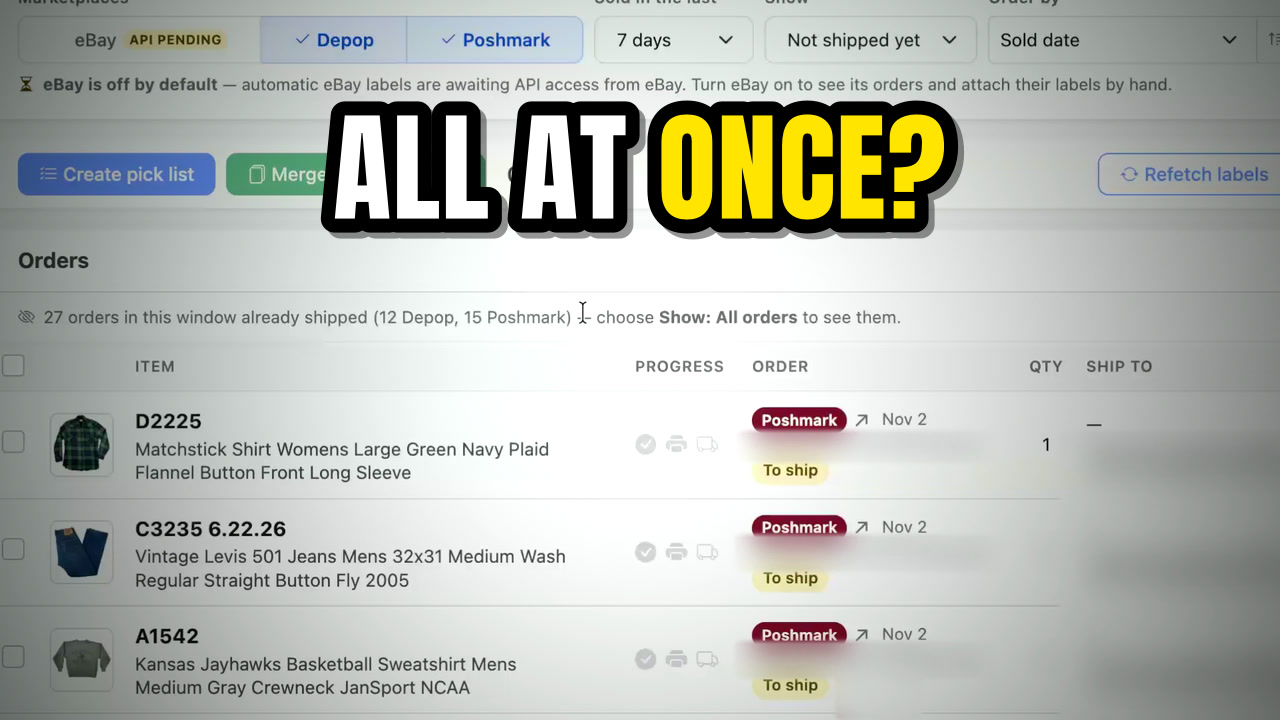
This time we used Pick & Ship, the new shipping page in Spadeberry. We filmed the whole run, from the screen at my desk to the post office, and you can watch it here:
Why one label at a time was slow
Every marketplace hands you its own label, one order at a time. So you download one, send it to the printer, wait several seconds while the label printer works through it, then go back and do the next one. Do that 70 times and it adds up. On top of that, nothing tells you which item is in which order unless you go and look it up, so the picking happens separately and from memory.
A pick list and every label in four clicks
- Open Sales → Pick & Ship. It lists the orders you haven't shipped yet. Depop and Poshmark labels are fetched for you as the orders come in, so they're already there.
- Sort by SKU and select all. That picks up everything you sold over the weekend, in SKU order. For us that's the order things sit on the shelves.
- Click Create pick list. You get a PDF with every item's photo and SKU. Items a buyer bought together are grouped, so a bundle ships as one parcel. Our biggest one was six items from one Poshmark buyer.
- Click Merge shipping labels. Every label lands in one PDF, in the same order as the pick list. Print it once and you're done.
That's the part that saves the most time: one print job instead of dozens, and a stack of labels that already matches the order you'll pick in.
Picking and packing with the list
Out at the shipping station, Zoe takes the printed pick list and walks our shelves by SKU, checking items off as she goes. Because the photo is right next to each SKU, matching the item to the line takes a glance. One of them, a vintage Star Trek shirt, sold for $97 on eBay.
A few packing habits we've settled on, since people ask:
- Shoes go in a polybag, then a bubble mailer, then another polybag. They're protected three times over and still ship cheaper than in a bulky box.
- Bright colored mailers. We used to use white ones, and some of our smaller packages seemed to get lost. Switching to bright colors was my idea.
- Take bundles slowly. A six-item order is the easiest place to get distracted, so we check every SKU against the list before it's sealed.
Then it all goes in the car. Our new building doesn't get postal carrier pickup, so we drive everything to the post office, which is how the video ends.
What about eBay?
eBay isn't fully built in yet. We're waiting on API access from eBay's end, and once we have it we'll add eBay labels to Pick & Ship alongside Depop and Poshmark. For now, eBay is off by default on the page. You can turn it on and attach eBay labels by hand, but honestly it's probably easier to keep using your existing method for eBay until then.
If you already use Spadeberry, you'll find it under Sales → Pick & Ship. New here? It's free to try: 50 credits for 30 days, no credit card.
Start your free trial